By
By 
If the Trump Accounts app is not working for you, the cause is almost always one of a handful of things: you downloaded a lookalike app instead of the real one, a verification code is not arriving, ID.me identity verification is rejecting you, the app throws an “unable to process” or “something went wrong” error, your login is stuck in a loop, or your account is fine and the money is simply still in the deposit queue. All of them have fixes, and none of them involve calling a phone number you found online. Here is the troubleshooting list, in the order worth trying.
KEY TAKEAWAYS
- Verify you have the real app. At launch, the official app did not always appear first in App Store search, and lookalike apps did, as reported by Tax Notes. Get the download link from TrumpAccounts.gov instead of searching.
- The web app at trumpaccount.com does everything the mobile app does. When the app misbehaves, the browser version is your fastest workaround.
- Identity verification runs through ID.me, the same service the IRS uses. Most failures come from name mismatches, blurry ID photos, or poor selfie lighting.
- An “unable to process” or “something went wrong” error is usually a temporary server-side backlog during the launch rush, not a problem with your account. Wait a few minutes and retry, or switch to the web app.
- An empty account after login usually is not a bug. The $1,000 seed deposits in phases starting July 4, 2026.
- Support exists only through callback requests inside the official app or site. Treasury does not run a public phone line, and numbers from search results are scam bait.
Are You Sure You Have the Real App?
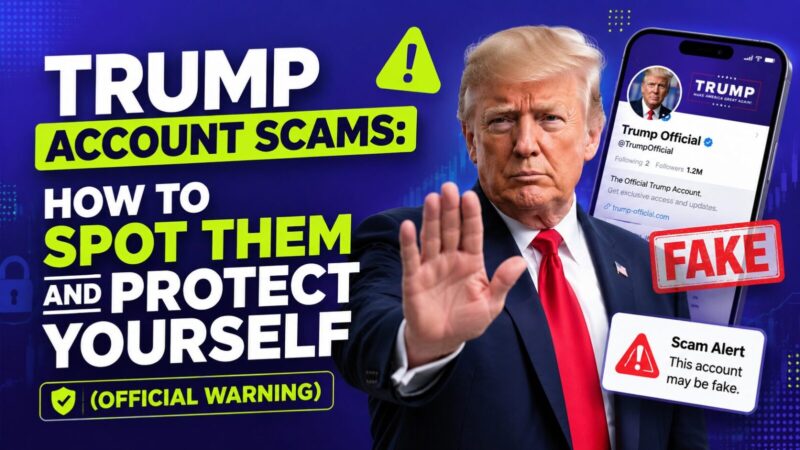
Start here, because this one is a security problem, not an inconvenience. When the Trump Accounts app launched in May 2026, it did not reliably show up at the top of Apple App Store search results, and at least one third-party app designed to mimic the official one did, as Tax Notes reported. A fake app with your login and your child’s Social Security number is a worst-case scenario.
The safe route: go to TrumpAccounts.gov in your browser and follow its official links to the Apple App Store or Google Play. Do not install anything a text, email, or social media post points you to. If you already entered information into an app you now suspect was fake, change your passwords, monitor your accounts, and consider a credit freeze for you and your child. Our Trump Account scams guide covers the cleanup steps.
And remember the app is optional. The web version at trumpaccount.com does the same job, which is also your answer if your phone is too old for the app. More on the domain in is trumpaccount.com legit?
Trump Account Says “Unable to Process”? Here’s What It Means
This is the single most-reported error, and the good news is that “unable to process,” “we’re unable to process your request,” or “status: unable to process” almost never means something is wrong with your account. During the launch rush, millions of families are hitting Treasury’s systems and ID.me at once, and an overloaded server answers by refusing the request rather than losing your data. It is a traffic-jam message, not a rejection. Work through these in order:
- Wait a few minutes and retry. Most “unable to process” errors clear on the second or third attempt once the queue eases. Off-peak hours (early morning or late evening) hit the wall far less often.
- Switch to the web app at trumpaccount.com. When the mobile app returns “unable to process,” the browser version frequently completes the same step, because the two paths do not always share the same overloaded component.
- Double-check the information you just entered. A Social Security number, date of birth, or legal name that does not match IRS records can also trigger “unable to process.” Confirm every field matches your tax documents exactly before resubmitting.
- Update and restart the app. An outdated build can misread a normal server response as an error. Install the latest version, force-close, reopen, and try once more.
- Don’t fire off repeated submissions. Hammering the button five times in a row can flag your session and extend the lockout. One clean retry, then wait.
If the same “unable to process” message survives a full day of off-peak retries on both the app and the website, that is the point to request a support callback (covered below), because it may indicate a data-match problem that only Treasury can clear.
Verification Code Not Arriving?
Codes that never show up are the most reported sign-up frustration. Work through these in order:
- Check spam, junk, and promotions folders. Official emails come from no-reply@TrumpAccounts.Treasury.gov, and aggressive filters love to bury government senders.
- Wait the full window before requesting again. Firing off five code requests in two minutes can invalidate earlier codes and, on some systems, trigger a temporary lockout.
- Try the other channel. If a text code stalls, choose email delivery where offered, or the reverse. Carrier-level spam blocking silently eats short-code texts on some plans.
- Confirm the contact info on file. A typo in your email or an old phone number during Form 4547 filing means codes are going somewhere you are not.
- Switch platforms. If the app will not deliver, attempt the same step at trumpaccount.com in a browser.
Stuck on ID.me Identity Verification?
Trump Account setup verifies your identity through ID.me, the same service used for IRS online accounts. It typically wants a photo of a government ID, a live selfie for matching, and sometimes follow-up questions. It is also a known choke point, with access problems well documented from its IRS use, per reporting on the program’s launch hurdles.
The fixes that solve most ID.me failures:
- Use your full legal name exactly as it appears on your ID and your tax return. Nicknames, missing middle names, and post-marriage name mismatches are the top rejection cause.
- Shoot the ID photo in daylight, flat, with no glare. Blurry or cropped corners get bounced by the automated check.
- Take the selfie in good light without hats or glasses. The biometric match is stricter than your phone’s face unlock.
- Reuse an existing ID.me account if you already made one for the IRS or a state agency, rather than creating a duplicate.
- Ask for a human review. When automated checks keep failing, ID.me offers a video call verification path. Slower, but it works for people the algorithm dislikes.
Can’t Log In, Stuck in a Loop, or “Wrong Password”?
If you finished activation but now can’t log in — whether the app bounces between the login screen and an error, the website won’t let you in, or it keeps rejecting a password you know is right — run the boring basics before assuming the worst: update the app to the latest version, force-close and reopen it, then try once more. If the app keeps looping, log in at trumpaccount.com instead, which sidesteps most app-side bugs while they get patched. And if the website is the thing that won’t work, try a different browser or an incognito window, since a stale cached session is a common culprit.
If the password reset is not working — the reset email never arrives, or the link errors out — check your spam and promotions folders first (reset messages come from the same no-reply@TrumpAccounts.Treasury.gov address), wait the full window before requesting a second link so you don’t invalidate the first, and open the reset link on the same device and browser where you requested it. Firing off several reset requests in a row is the fastest way to lock yourself out for a cooldown period, so send one and give it a few minutes.
One structural thing to know: the account belongs to your child, with you as the managing adult. Make sure you are logging in with the credentials you created during activation, not an account your spouse set up. Households where both parents started sign-up separately are a quiet source of “wrong password” mysteries.
“Something Went Wrong,” a Whitelabel Error Page, or a Blank Screen?
A generic “something went wrong” message, a bare “Whitelabel Error Page”, or a screen that loads blank are all the same species of problem: a server-side hiccup, not something you broke. The “Whitelabel Error Page” in particular is a default error screen the backend shows when a page fails to load properly — seeing it means the request reached the server but the server stumbled, and it almost always resolves on its own. Your move is the same short checklist:
- Refresh or retry after a minute. These errors are usually transient and clear once the system catches its breath.
- Switch between the app and trumpaccount.com. If one path throws the error, the other often loads fine.
- Clear the cache or use a private window. On the website, a stale cached page is a frequent cause of blank screens and repeat errors.
- Check that you’re on the real domain. A “something went wrong” page on an address that isn’t trumpaccount.com can be a lookalike site — confirm the URL before re-entering any information.
Logged In but the Account Looks Empty?
That is usually not a bug. The $1,000 government seed started depositing on July 4, 2026 in phases, so an activated account can sit at $0 for days or weeks while the queue works through millions of families. The full explanation, including the eligibility checks worth running, is in our guide to the $1,000 deposit not showing up. Once money does land, making your first contribution is the next step.
When Should You Contact Support, and How?
If you have tried the fixes above and are still locked out after a few days, use the official support channel: a secure callback request made inside the app or on the official site. That is the only channel. Treasury does not operate a public phone line for Trump Accounts and will not call or text you first. Any “Trump Account support” number surfaced by a search engine, social media, or a helpful stranger is a scam vector, full stop. Have your Form 4547 confirmation and ID handy for the callback.
Frequently Asked Questions
Why does my Trump Account say “unable to process”?
Almost always because the system is overloaded during the launch rush, not because your account is broken. Wait a few minutes and retry, try the web app at trumpaccount.com, and confirm your name, date of birth, and Social Security number match your tax records exactly. If it persists all day across both the app and website, request a support callback.
Why is the Trump Account website not working?
Try a different browser or an incognito/private window first, since a stale cached session causes most website failures. If the site still won’t load or throws an error, switch to the mobile app, or wait and retry during off-peak hours when traffic is lighter.
The password reset isn’t working. What do I do?
Check spam and promotions for the reset email from no-reply@TrumpAccounts.Treasury.gov, request only one link and wait the full window before trying again, and open the link on the same device and browser you requested it from. Multiple rapid reset requests can trigger a temporary lockout.
Why can’t I download the Trump Accounts app?
Get the download link from TrumpAccounts.gov rather than searching the store, since search results were unreliable at launch and surfaced lookalikes. If your phone is too old for the app or the download keeps failing, skip it entirely — the web app at trumpaccount.com does everything the mobile app does.
Why can’t I find the Trump Accounts app in the App Store?
Search visibility was inconsistent at launch and lookalike apps appeared in results, as reported by Tax Notes. Go to TrumpAccounts.gov and use its official download links instead of searching the store directly.
Is there a way to use a Trump Account without the app?
Yes. The official web app at trumpaccount.com offers the same functions in any browser, including activation, contributions, and support callback requests.
Why is ID.me rejecting my verification?
The usual culprits are a name that does not exactly match your ID, glare or blur on the ID photo, or poor selfie lighting. If automated checks keep failing, ID.me offers video call verification with a human agent.
My account shows $0 after logging in. Is something broken?
Probably not. The $1,000 seed deposits in phases starting July 4, 2026, so activated accounts can show a zero balance for days or weeks before the deposit lands.
Is there a phone number for Trump Account support?
No public one. Support happens only through secure callback requests inside the official app or website. Treat any phone number you find through search results or social media as a scam.
Bottom Line
Most Trump Accounts app problems come down to a fake app, a filtered verification code, a strict ID.me check, an overloaded server throwing “unable to process,” or normal launch-window delays. Download only via TrumpAccounts.gov, fall back to trumpaccount.com when the app misbehaves, retry error messages after a few minutes during off-peak hours, match your legal name exactly during verification, and use in-app callback for anything you cannot fix yourself. An “unable to process” error or a zero balance in July 2026 is patience territory, not panic territory.
Last updated: July 9, 2026. Details sourced from the U.S. Department of the Treasury, TrumpAccounts.gov, and reporting by Tax Notes as of July 2026. Trump Accounts are a new program and the app is actively evolving, so specific screens and steps may change. This article is for educational purposes only and is not financial, legal, or tax advice. For questions about your family’s situation, a qualified professional is worth the conversation.