By
By 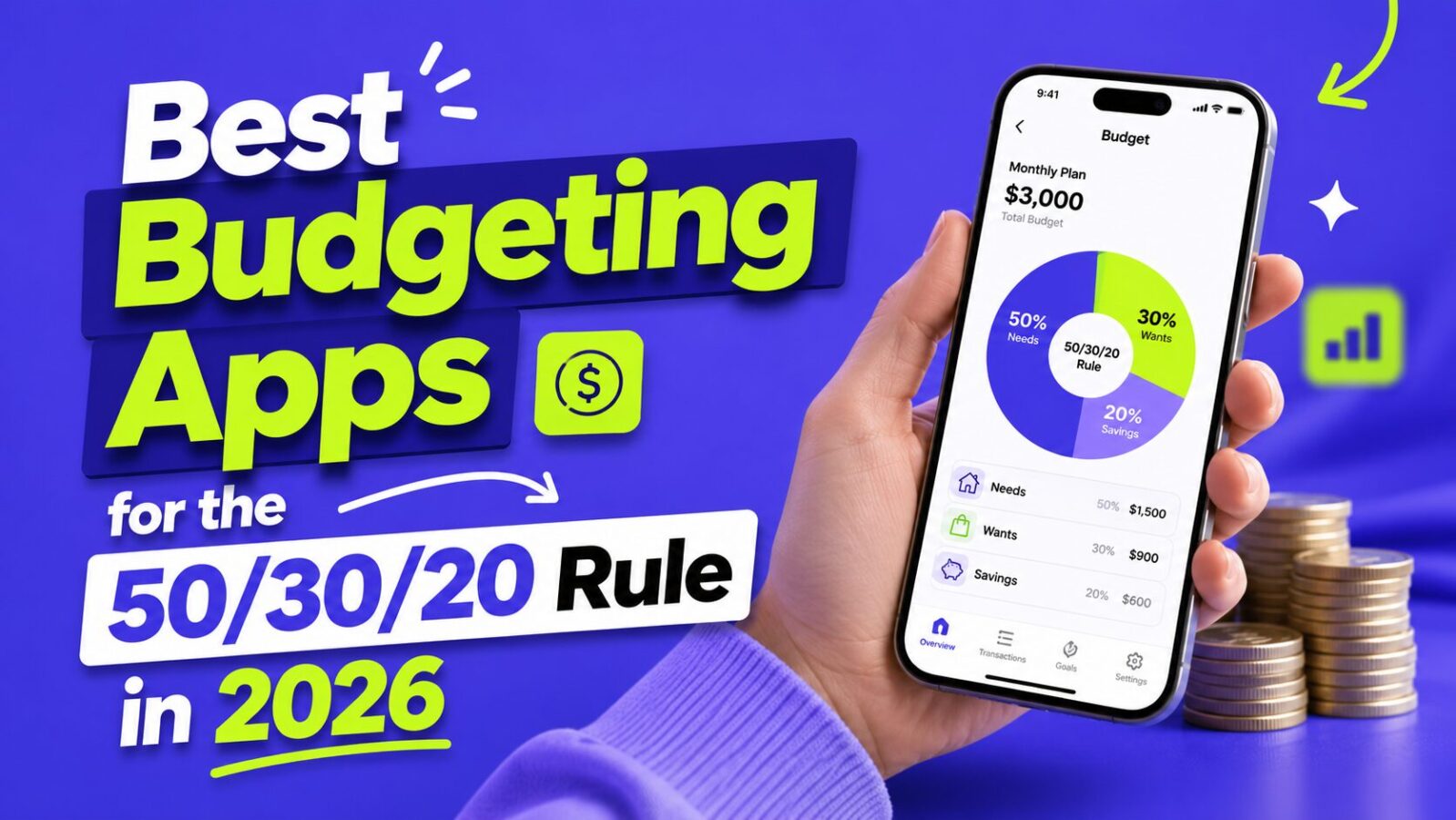
The 50/30/20 rule is one of the most popular budgeting frameworks out there, and for good reason. It is simple, flexible, and does not require tracking every last penny. But knowing the rule and actually following it are two very different things. That is where budgeting apps come in.
Need the method behind the apps? Start with our how to budget guide.
The problem is that not every budgeting app is built with the 50/30/20 framework in mind. Some are designed for zero-based budgeting, others focus on envelope systems, and a few try to do everything at once. This guide focuses specifically on the apps that make the 50/30/20 split easy to follow; if you want a broader roundup of every top budgeting app regardless of method, see our best budgeting apps guide.
Disclosure: Some links in this article may be affiliate links. Finance Pulse may earn a commission if you sign up for Monarch Money or YNAB through our links. This does not affect our rankings. Goodbudget and EveryDollar have no affiliate relationship with Finance Pulse. Our recommendations reflect genuine testing and editorial judgment.
What makes a good 50/30/20 budgeting app?
A great budgeting app for the 50/30/20 rule should have: automatic categorization that sorts transactions into needs, wants, and savings without requiring manual input; clear visual breakdowns showing spending in the three buckets as percentages; bank syncing so you are not manually entering every transaction; customizable categories because the line between “need” and “want” is personal; alerts when you are overspending in any category; and affordability. For a neutral primer on budgeting basics, the FTC’s guide to making a budget is a solid starting point.
Not sure which app fits your situation?
Find Your Best Budgeting App
Answer 3 questions to get a personalized recommendation.
YNAB (You Need A Budget)
Price: $14.99/month or $99/year. Verify at ynab.com/pricing. 34-day free trial.
YNAB uses a zero-based budgeting philosophy where every dollar gets a job. While technically a different framework than 50/30/20, it is flexible enough to adapt to almost any budgeting style.
How to set up for 50/30/20: Create three master category groups (Needs, Wants, Savings/Debt). Add specific spending categories under each group. Allocate 50/30/20 of your take-home pay to each group. YNAB tracks spending against these targets in real time. There is no built-in 50/30/20 template; you build it from scratch.
Pros: Extremely powerful budgeting engine with real-time tracking. Excellent bank syncing. Educational resources and live workshops. Goal tracking works well for the savings component of 50/30/20. Active community with forums.
Cons: Steeper learning curve than simpler apps. No built-in 50/30/20 template. Most expensive option on this list. Zero-based philosophy can feel like overkill for simple percentage tracking.
Best for: People who want detailed control and do not mind 15 to 20 minutes of initial setup. If you want to know exactly where every dollar goes and value robust reporting, YNAB is worth the price. For the price/value debate, see our take on the YNAB price increase.
Monarch Money
Price: $14.99/month or $99.99/year. 7-day free trial. Household plans for couples.
Built by former Mint engineers after Mint shut down in early 2024. Clean, modern interface with powerful features that rival YNAB. Read our full Monarch Money review for a deeper look.
How to set up for 50/30/20: Link your bank accounts and credit cards. Create budget categories and assign them to Needs, Wants, or Savings groups. Set spending targets based on percentages of your income. The dashboard gives a clear visual breakdown of how spending stacks up against the 50/30/20 split. Native percentage views are the best on this list.
Pros: Beautiful, intuitive interface. Excellent automatic transaction categorization. Percentage-based budget views are perfect for 50/30/20. Strong bank syncing. Household features for couples. Net worth tracking and investment monitoring included. Cash flow forecasting.
Cons: No free tier. Newer than YNAB, so fewer community resources. Mobile app occasionally lags behind the web version.
Best for: The best native 50/30/20 experience with a modern interface. Top choice for couples budgeting together. Natural upgrade for former Mint users.
Goodbudget
Price: Free plan (10 envelopes, one account). Plus $10/month or $80/year (unlimited envelopes, bank syncing).
Goodbudget uses a virtual envelope system that maps surprisingly well onto the 50/30/20 rule. Create envelopes for Needs, Wants, and Savings. When you receive your paycheck, “fill” the envelopes according to the 50/30/20 split.
Pros: Free tier is genuinely usable for basic tracking. Envelope system provides intuitive spending limits. Syncs across devices for partner sharing. Manual entry builds spending awareness. Lower annual price than competitors.
Cons: Free plan requires manual transaction entry. Interface feels dated compared to Monarch or YNAB. No investment tracking or net worth monitoring.
Best for: People who want a free or low-cost option and do not mind manual entry. Works especially well for couples who want a shared view of their spending.
EveryDollar
Price: Free version (manual entry). Premium via Ramsey+ at $49.99/quarter or $129.99/year (bank syncing + Ramsey courses).
Created by Ramsey Solutions. Zero-based approach but simpler to get started with than YNAB.
Pros: Very simple setup with guided onboarding. Clean, uncluttered interface. Free version is functional for basic budgeting. Strong educational content for beginners. Good mobile app.
Cons: Bank syncing only on the expensive premium plan. Premium pricing is higher than competitors for comparable features. Heavily tied to Dave Ramsey’s financial philosophy. Does not natively display percentage-based budget views.
Best for: Budgeting beginners who want a guided setup experience. If you follow Dave Ramsey’s advice, this is the obvious choice. For 50/30/20 percentage tracking specifically, Monarch does it better.
Side-by-side comparison
| Feature | YNAB | Monarch | Goodbudget | EveryDollar |
|---|---|---|---|---|
| Price/year | $99 | $99.99 | Free / $80 | Free / $129.99 |
| Free trial | 34 days | 7 days | Free plan | Free plan |
| Bank syncing | Included | Included | Plus plan only | Premium only |
| 50/30/20 views | Good (manual setup) | Excellent (native) | Good (envelope) | Adequate |
| Ease of use | Moderate | Easy to moderate | Easy | Very easy |
| Couples support | Limited | Excellent | Good | Basic |
| Investment tracking | No | Yes | No | No |
Tips for making the 50/30/20 rule work in 2026
Housing costs may push your Needs above 50%. If you live in a high-cost city, your housing alone might eat 40%+ of take-home pay. A 60/20/20 split while you work on increasing income is still far better than no budget at all.
Subscriptions add up faster than you think. The average American has 8 to 12 active subscriptions according to C+R Research data, easily adding $150 to $200/month to your Wants category. Use our free Subscription Audit Spreadsheet to find and cut recurring charges you have forgotten about.
Automate your savings first. Set up automatic transfers to your emergency fund and investment accounts on payday, before you have a chance to spend that money. For predictable-but-irregular bills (insurance, car registration, holidays), add a sinking fund inside your savings bucket so they never blow up your monthly budget.
Use the rule as a guideline, not a law. If you are aggressively paying off student loans, shift to 50/20/30. If you are saving for a house, try 50/25/25.
Frequently asked questions
Yes. Goodbudget’s free plan and EveryDollar’s free version both work for basic 50/30/20 tracking. Many people find that manual transaction entry actually helps them stay more aware of their spending.
Extremely common, especially for people in expensive cities or with significant debt payments. Adjust the percentages to your reality and work toward the 50/30/20 ideal over time. Even a 60/20/20 split is better than no budget at all.
Yes. YNAB handles irregular income particularly well because its zero-based approach only budgets money you currently have. Read our irregular income budgeting guide for the complete system.
The bottom line
The best budgeting app is the one you will actually use. If you are new to budgeting, start with a free option like Goodbudget or EveryDollar’s free plan. Get comfortable with the 50/30/20 framework first and build the habit. Once budgeting becomes second nature, consider upgrading to a paid app.
Ready to pick an app and start?
- Never budgeted before? Start with Goodbudget free or EveryDollar free. Get comfortable with the 50/30/20 framework for one month before deciding whether to upgrade.
- Want the best 50/30/20 experience right now? Start a Monarch Money 7-day free trial. It is the most purpose-built app for this framework.
- Not sure what your 50/30/20 numbers actually are? Use our 50/30/20 budget calculator first, then set up whichever app you choose.